1. log
1.1 Build log
- ${BUILDDIR}/tmp/log/cooker/<machine>/에 MACHINE別 빌드 로그가 있다.

- qemux86-64 머신 디렉토리에 들어가보자.

날짜별 log파일과, latest -> link 가 있다.
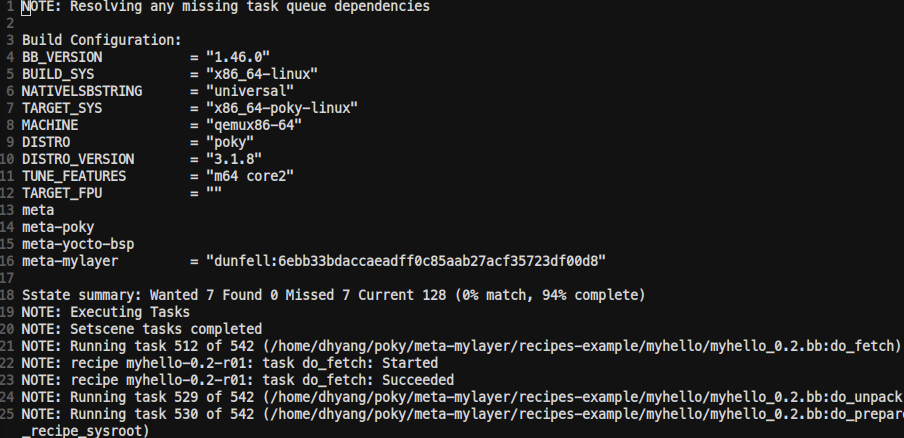
- ~/poky/build/tmp/log/cooker/qemux86-64/console-latest.log 파일을 본다.
- 진짜 처음 build할 때 부터 로그가 쭉 나온다.
1.2 recipe log
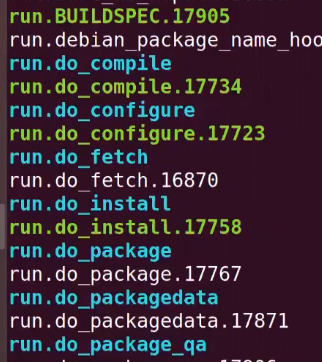
- 각 레시피의 ${T} = ${WORKDIR}/temp에 recipe log
- $ bitbake -e <recipename> | grep ^T
- run.<task>.<pid> 로 항시 latest log가 symbolic link로 되어 있다.
1.3 log.task_order
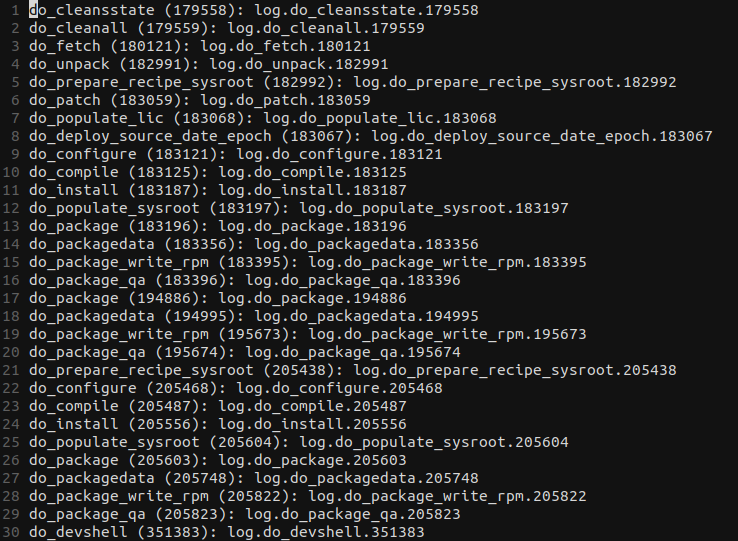
$ vi ${T}/log.task_order
- Python
- bitbake에 의해 직접 처리된다.
- bb.fatal, bb.error, bb.warn, bb.note, bb.plain, bb.debug
- build/tmp/log/cooker/<machine>
- Shell script
- 태스크가 태스크별 각 로그 파일 가진다.
- bbfatal, bberror, bbwarn, bbnote, bbplain, bbdebug
- build/tmp/work/<arch>/<recipe name>/<software version>/temp
1.4 task별 log
- bb.fatal, bbfatal: 가장 높은 우선순위. 실행되면 빌드 멈춤!!
- bb.error, bberror: error를 표시하기 위해 사용된다.
- bb.warn, bbwarn: warn
- bb.note, bbnote: 유저에게 note 추가.
- bb.plain, bbplain: output message
- bb.debug, bbdebug: 사용되는 debug level에 따라 보여지는 디버깅 메세지
    myhello_0.1.bb

  1 DESCRIPTION = "Simple helloworld application"
  2 LICENSE = "MIT"
  3 LIC_FILES_CHKSUM="file://${COMMON_LICENSE_DIR}/MIT;md5=0835ade698e0bcf8506ecda2f7b4f302"
  4
  5 SRC_URI = "file://userproc.c"
  6
  7 S = "${WORKDIR}"
  8
  9 do_compile() {
 10	bbfatal "Fatal Fatal error"
 11     bbnote "Compilation started"
 12 	${CC} userprog.c ${LDFLAGS} -o userprog
 13
 14 }
 15
 16 do_install() {
 17
 18	bbwarn "Installation started"
 19 	install -d ${D}${bindir}
 20
 21 	install -m 0755 userprog ${D}${bindir}
 22
 23	bbwarn "Installation Ended"
 24 }
1.5 debug output
- bitbake에서 -D 옵션을 사하면, 디버그 출력물을 볼 수 있다.
- -D를 여러개 줄 수록, 디버깅 레벨이 올라간다.
출처: https://velog.io/@markyang92/posts?tag=Yocto